GestureCraft
Custom trackpad gestures, keyboard shortcuts, and mouse buttons.
GestureCraft is a small Mac menu-bar app. You pick a trigger and what it does. It runs locally, keeps no account, and sits at near-zero CPU when nothing's happening.
Local processing · No account · Notarized builds · macOS 14+
Demo
Making your own takes seconds.
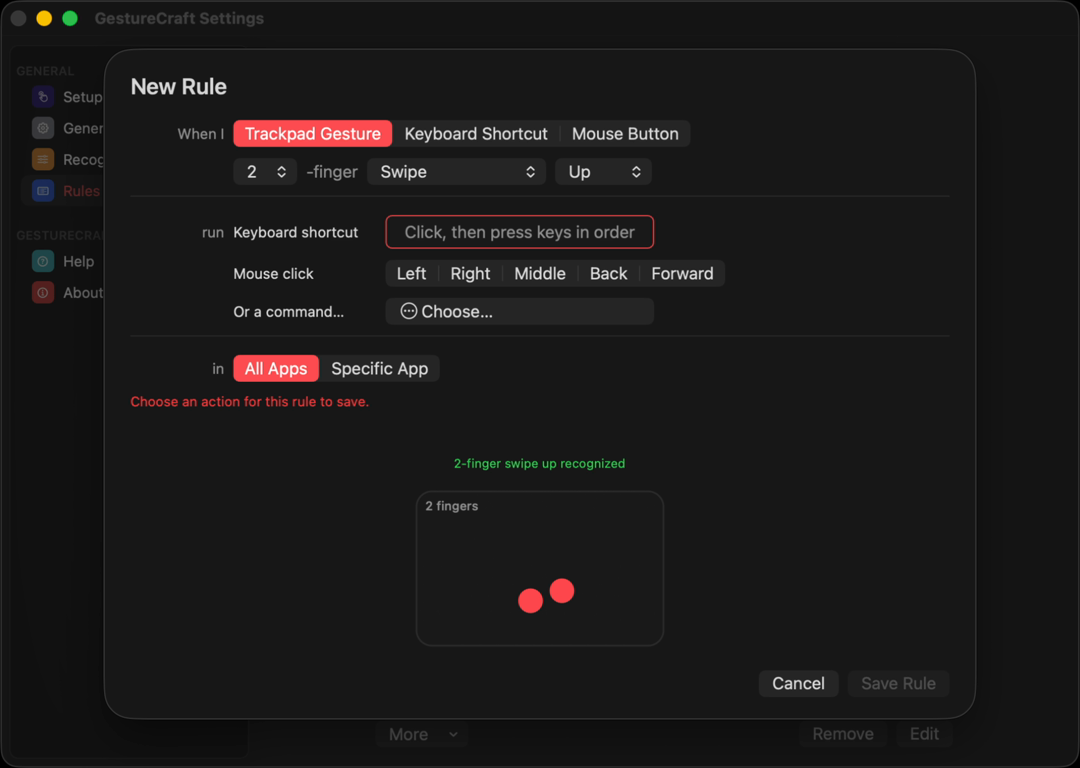
A two-finger swipe up on the Add Rule pad.
The app
See the actual app.
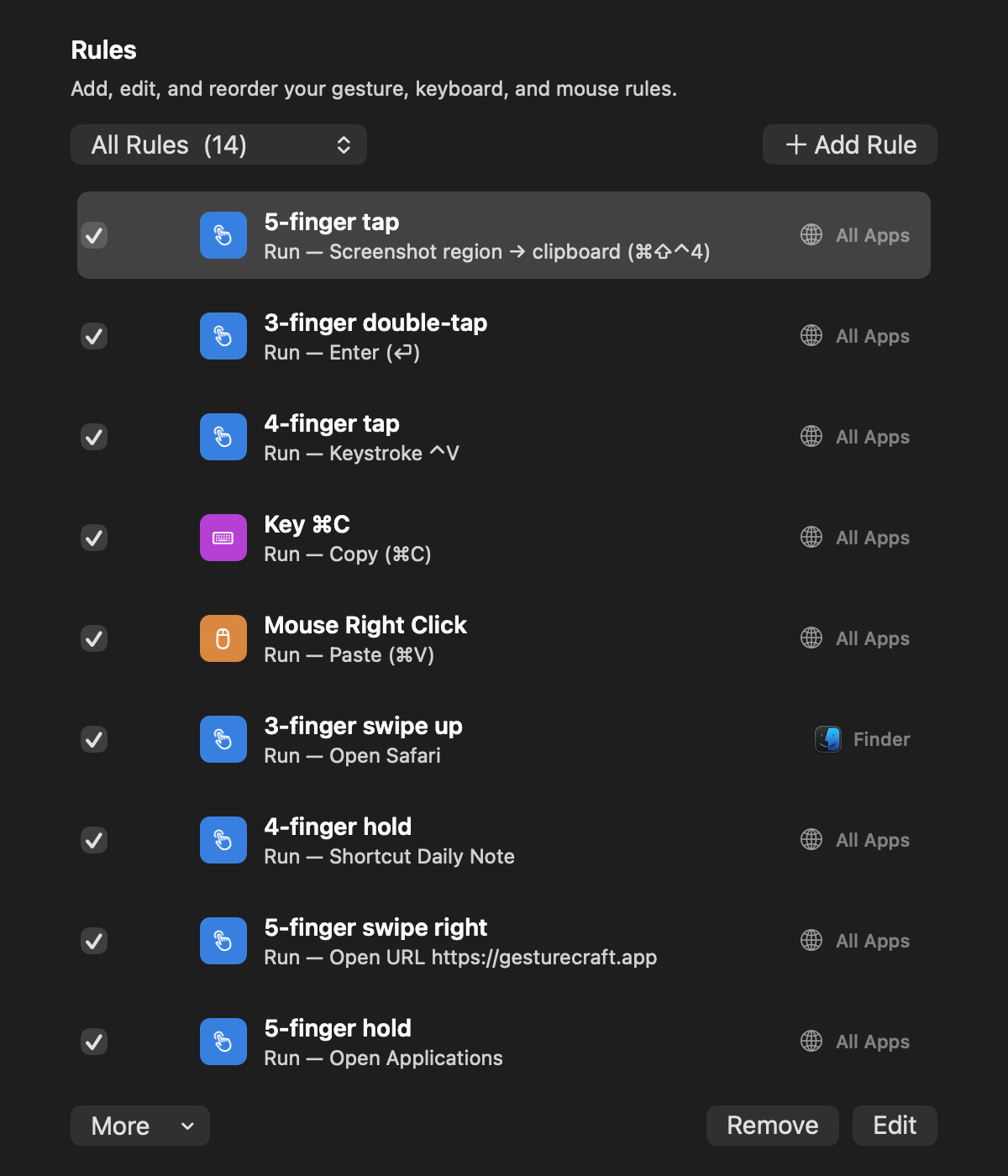
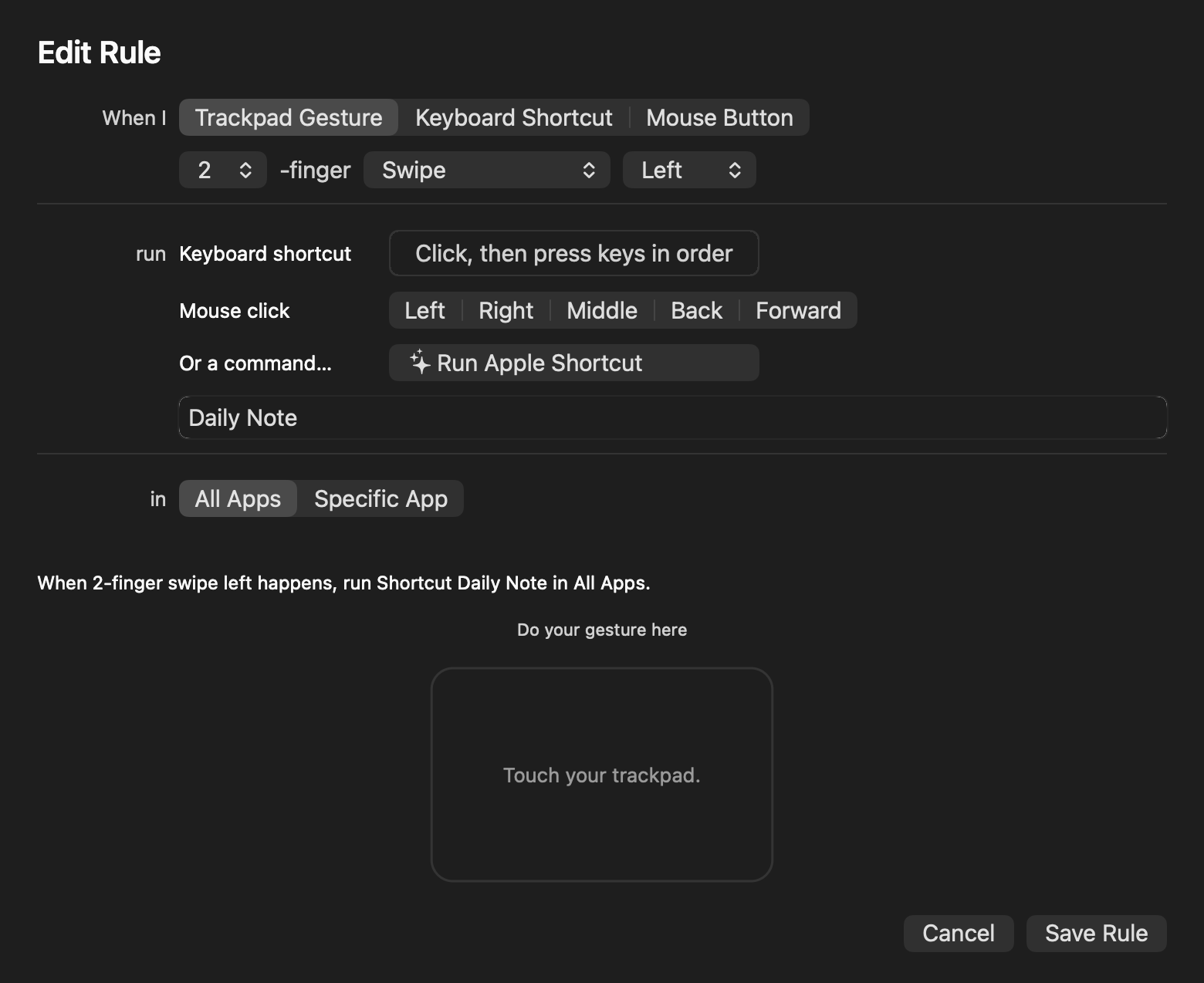
Your rules live in one list. Adding or editing one is a single sheet - pick a gesture, pick an action, pick where it runs.
How it works
How a rule works.
A rule reads like a sentence. You just fill in the blanks.
- When I…
- a trackpad gesture, a key, or a mouse button.
- run…
- a shortcut, an app, a window snap, or a script.
- in…
- every app - or just one.
Triggers
Start a rule from any input.
A trackpad gesture, a keyboard shortcut, or a mouse button can be the trigger.
-
Trackpad gestures
Taps, holds, and swipes, plus swipe-and-hold gestures. Make your trackpad yours! Works with external Apple Magic Trackpads and the Magic Mouse (2-finger taps and swipes - swipes are opt-in and require disabling macOS's native 2-finger swipe in System Settings > Mouse), too. GestureCraft can also give a short tap under your fingers when a gesture runs its rule, at the strength you pick: Light, Medium, or Strong.
-
Keyboard shortcuts
Configure keys and combinations, even a whole sequence. Bind whatever, however you want!
-
Mouse buttons
Right, middle, back, forward, and extra buttons on a multi-button mouse. Use a click, or press and hold on buttons for extra customization.
-
Media & system keys
Volume, brightness, play/pause, keyboard backlight, Mission Control, and Spotlight - as the action a gesture runs, or as a key you press to start a rule. The key still does its normal job. A rule can also open App Exposé, show the desktop, move one Space left or right, or Quick Look the file selected in Finder.
Performance
Near-zero idle CPU.
GestureCraft only wakes when your trackpad, mouse, or keyboard sends it something, and sleeps the rest of the time, so it costs your Mac next to nothing while it waits.
~0%
Idle CPU
Menu bar only
~45MB
Memory
At rest
Measured on an Apple silicon Mac: five readings, 2 seconds apart.
Pricing
One Low Price. One Time Only. Yours Forever.
One purchase, no subscription, no account. Backed by a 14-day money-back guarantee.
$7.99
One-time purchase
- One-time purchase · no subscription
- Three personal Macs
- Automatic updates
- No account · just your license key
- 14-day money-back guarantee
Already bought GestureCraft? Download it here.
Permissions
Permissions, explained.
GestureCraft asks only for what each rule family needs - and says why.
- Accessibility
- Needed to post keystrokes and move windows. GestureCraft never needs Screen Recording for the built-in screenshot shortcut - the system still does the capture.
- Input Monitoring
- Required only when you enable keyboard or mouse-button rules. Trackpad recognition does not use it.
- Why not the App Store?
- Raw trackpad data comes from Apple’s MultitouchSupport framework, which means the app must stay unsandboxed and distribute outside the Mac App Store.