Press Kit
Writing about GestureCraft?
Everything you need in one place - facts, boilerplate, and screenshots you're free to use. Updated August 2026.
GestureCraft is a native Mac menu-bar app that turns trackpad gestures - plus keyboard shortcuts and mouse buttons - into the actions you actually want: snap a window, launch an app, press a keystroke, run an Apple Shortcut, or run a script. Because it reads the trackpad event-driven and sleeps when nothing's touching, it sits at near-zero idle CPU. It's made solo, sold once, and your rules stay on your Mac. If you're covering it, help yourself to anything below; the screenshots and icon are free to use, and a quick link back to gesturecraft.app is always appreciated.
Fast facts
| Product | GestureCraft - a native macOS menu-bar app for custom trackpad gestures, keyboard shortcuts, and mouse-button rules |
|---|---|
| What it does | Maps trackpad gestures, keyboard shortcuts, and mouse buttons to actions - window snaps, app launches, keystrokes, Apple Shortcuts, and scripts - in every app or just one. Each rule reads like a sentence: "When I [gesture], run [action], in [app]." |
| Maker | SKJ APPS - an independent, one-person Mac software studio (skjapps.com) |
| Requirements | macOS 14 (Sonoma) or later · Apple silicon and Intel |
| Price | $7.99 one-time launch price (regularly $14.99) · up to 3 Macs · no subscription |
| Availability | Out now at gesturecraft.app |
| How to get it | Direct download (Apple-notarized DMG), or Homebrew: brew install --cask skj-apps/tap/gesturecraft |
| Performance | Event-driven, so it sits at near-zero idle CPU - a development sample measured ~0% idle CPU and ~45 MB at rest (macOS 26, Apple silicon) |
| Permissions | Accessibility to run actions (post keystrokes, move windows); Input Monitoring only when keyboard or mouse-button rules are enabled; no Screen Recording |
| Privacy | No account, no analytics, no trackers - your rules stay on your Mac; it reaches the network only to activate a license and check for updates |
| App Store | Not on the Mac App Store - it reads raw trackpad data through Apple's private MultitouchSupport framework, so it stays unsandboxed |
| Guarantee | 14-day money-back, no questions asked |
| Press contact | support@gesturecraft.app |
Boilerplate
Copy any of these straight in.
GestureCraft is a native Mac menu-bar app that turns trackpad gestures, keyboard shortcuts, and mouse buttons into anything - window snaps, app launches, and Shortcuts - at near-zero idle CPU.
GestureCraft is a native macOS menu-bar app for custom input. It maps trackpad gestures, keyboard shortcuts, and mouse buttons to window snaps, app launches, keystrokes, Apple Shortcuts, and scripts - each rule reading like a plain sentence. It's event-driven, so it sits at near-zero idle CPU. Pay once, no subscription, nothing leaves your Mac.
GestureCraft lets you drive your Mac with custom trackpad gestures - plus keyboard shortcuts and mouse buttons - from one native menu-bar app. Do a two- to five-finger tap, swipe, or hold and it fires the action you chose: snap a window, launch an app, press a keystroke, run an Apple Shortcut, or run a script, in every app or just one. Because it reads the trackpad event-driven and sleeps when nothing's touching, it sits at near-zero idle CPU instead of a steady background load. It's a one-time purchase for up to three Macs, with no account and no data collection.
The honest angle
If you want a hook rather than a feature list, here's what actually sets it apart:
- Near-zero idle CPU. GestureCraft reads the trackpad event-driven and sleeps when nothing's touching, so it sits at near-zero idle CPU rather than carrying the steady background load a heavier gesture tool can. A development sample measured ~0% idle CPU and ~45 MB at rest.
- Three inputs, one native app. Trackpad gestures, keyboard shortcuts, and mouse buttons all live in one native menu-bar app, and every rule reads like a sentence - "when I do this, run that, in this app" - so there's no menu of gesture names to memorize.
- Pay once, private. One-time purchase, no subscription, no account; no analytics and no trackers, and your rules stay on your Mac.
- The honest flip side. GestureCraft keeps to reliable multi-finger taps, swipes, and holds - it doesn't do pinch, rotate, or character (letter-drawing) gestures, and it isn't the endless-scripting kitchen sink that BetterTouchTool is. On a Magic Mouse it's honestly 2-finger only (a tap and an opt-in swipe); one finger still moves the cursor. If you want every knob, BTT does more; GestureCraft is for people who want a handful of fast, dependable rules at near-zero CPU.
The comparison (be upfront)
The incumbent is BetterTouchTool - powerful, deeply configurable, and paid. It does far more than GestureCraft, including pinch, rotate, and character gestures and a deep scripting surface. GestureCraft's point is different: the common gestures, keyboard shortcuts, and mouse rules people actually use, done natively at near-zero idle CPU, for a one-time price, with an interface a first-time user can read. If someone wants the maximal, tweak-everything tool, we say honestly that BTT does more - it's on our own comparison pages.
Screenshots & assets
Click any image for the full-size file. All free to use in coverage of GestureCraft.
 App iconapp-icon.png
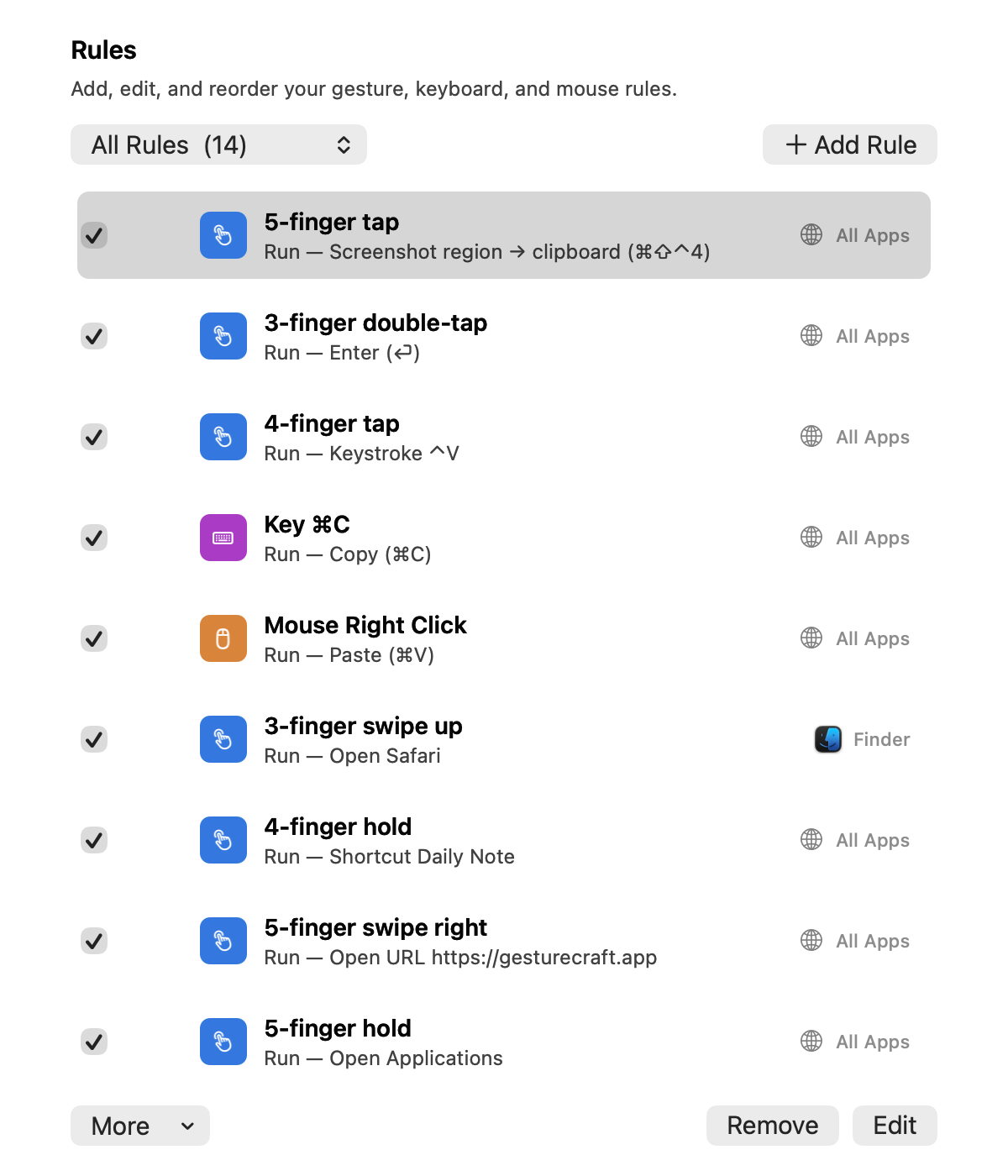 Rules list - lightrules-light.png
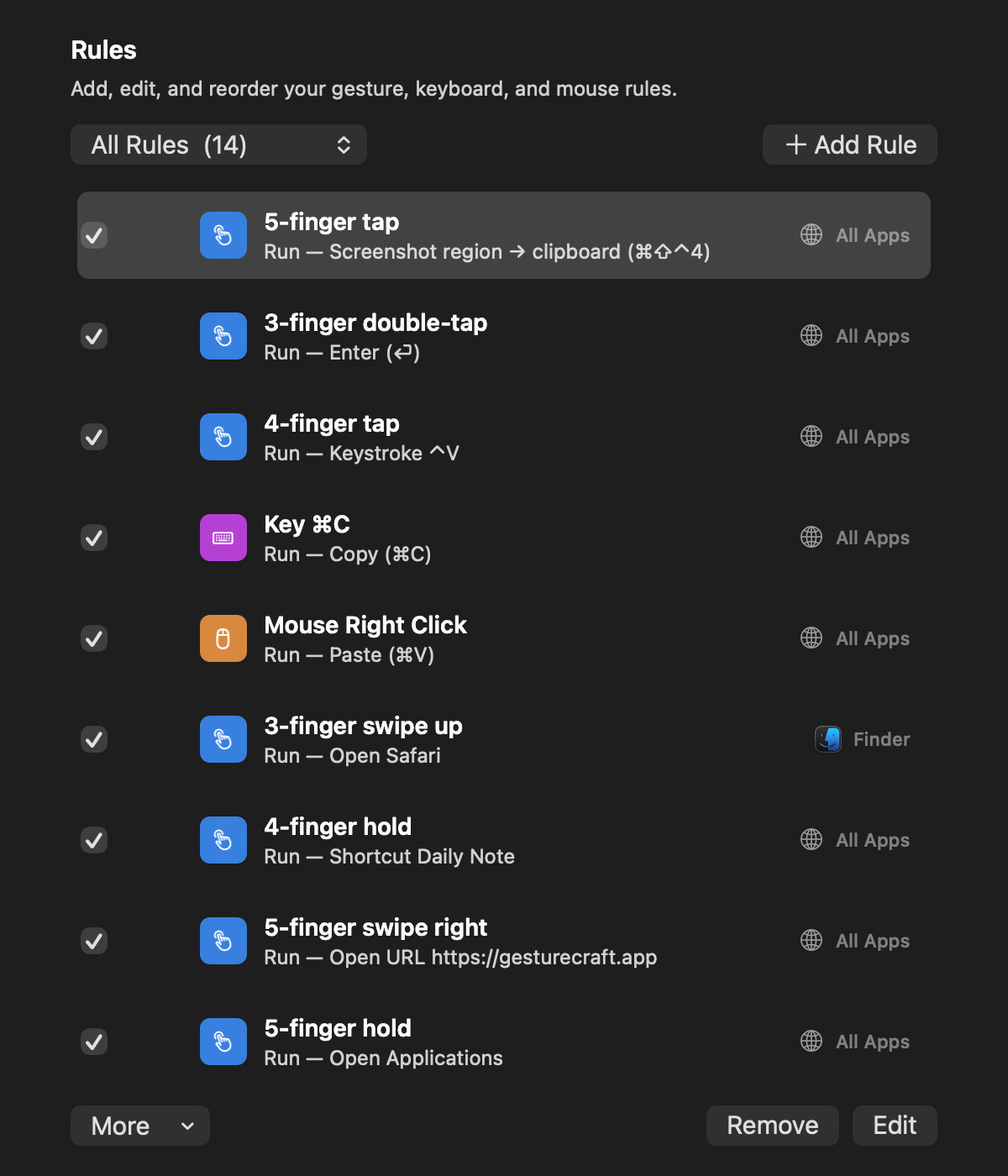 Rules list - darkrules-dark.png
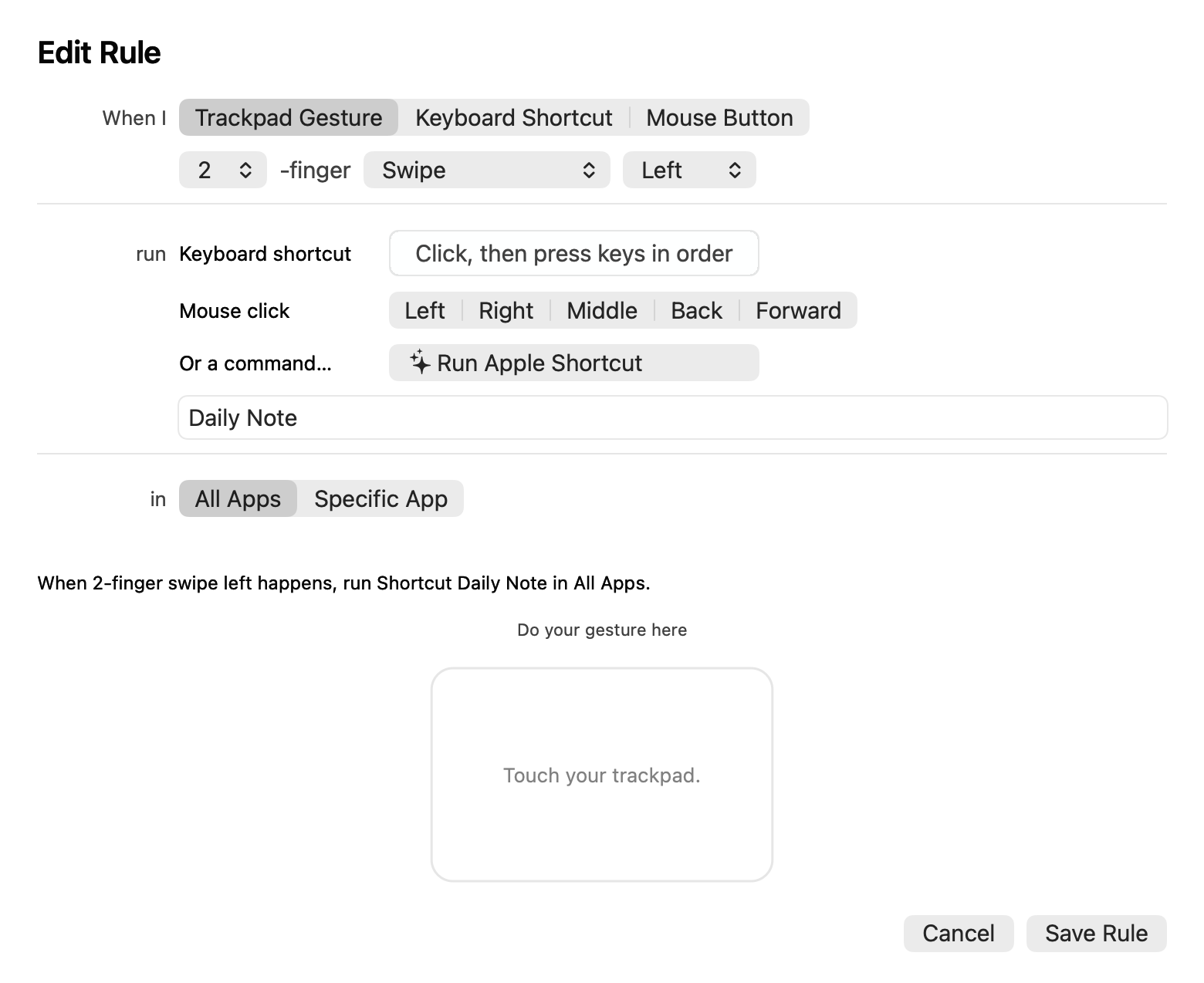 Add Rule - lightbuilder-light.png
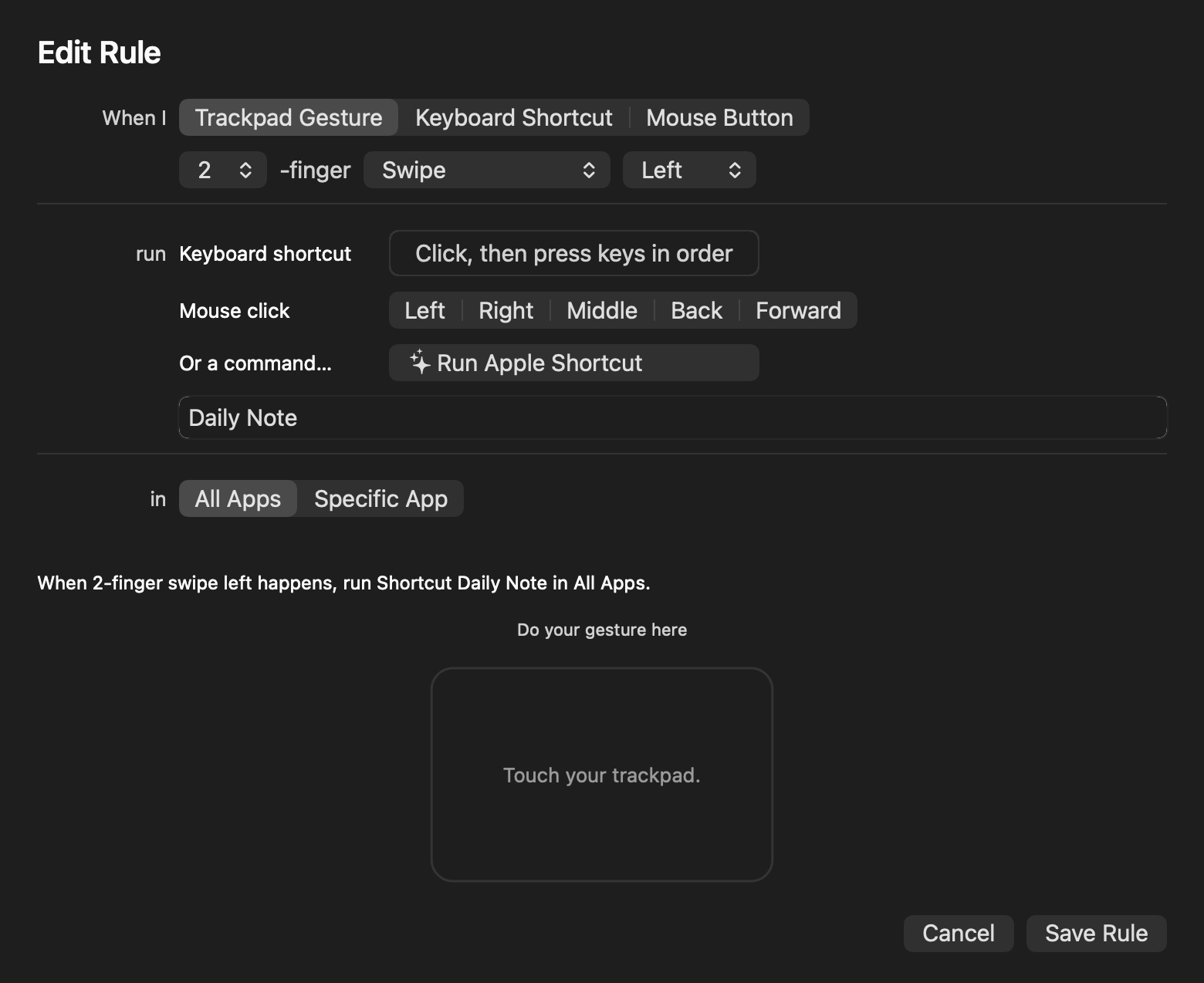 Add Rule - darkbuilder-dark.png
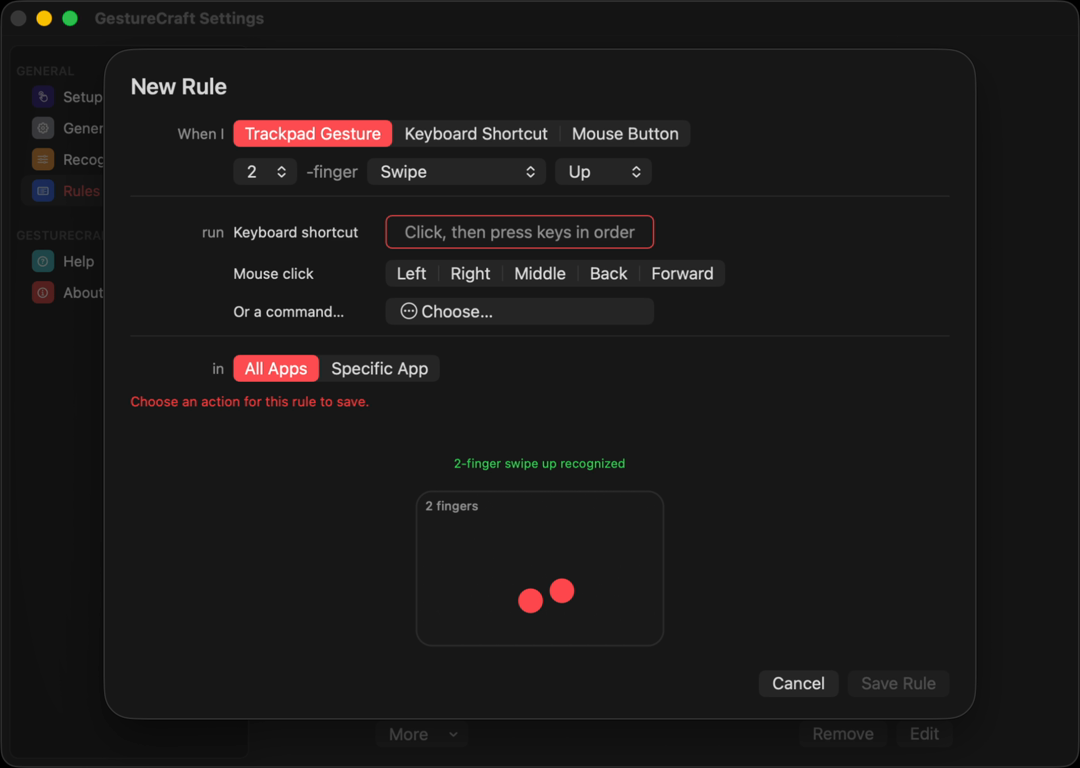 Demo clipdemo.mp4
About SKJ APPS
GestureCraft is made by SKJ APPS, a one-person Mac software studio building a small family of native, one-time-purchase macOS utilities (alongside MistBar, DockApp, and TrillMark) - private by default, no subscriptions, no tracking, and built and used daily by the person who makes them. More at skjapps.com.
Need anything else?
Reviewing GestureCraft and want a license to try it, a specific screenshot, or a quick answer? Email me - I read every message.
Email support@gesturecraft.app